how-to · 14 nov 2026
DJ Gain Staging: How to Set Levels on a Mixer
Track one is quiet, so the fader goes to the top. Track two is loud, and now the master meter is in the red. That is a DJ gain staging problem, and it is fixed before a fader moves. More how-to guides on Trip.
By Trip · 2 min read

Photo: Unsplash
What is DJ gain staging?

It means setting each channel’s input level so every track arrives at the mixer at a similar strength. The Allen & Heath Xone:96 user guide says the GAIN control exists to compensate for different audio signal source levels. On the Xone:96 it runs from minus infinity to +10dB.
Level matters because loud is not the same as clipped. The same guide puts it plainly: peaking simply results in signal distortion, not more volume.

How do you set levels on a DJ mixer?
DJ gain staging comes down to five steps, and a reason for each. The numbers below are the Xone:96 guide’s, so check your own mixer’s manual for its meters.
- Set the channel EQ flat. Boosted EQ adds level, and the guide lists it next to gain as something to turn down when the peak light stays on.
- Play the loudest part of the track. The meter has to see the peaks, not the quiet intro, or the level you set will be too high later.
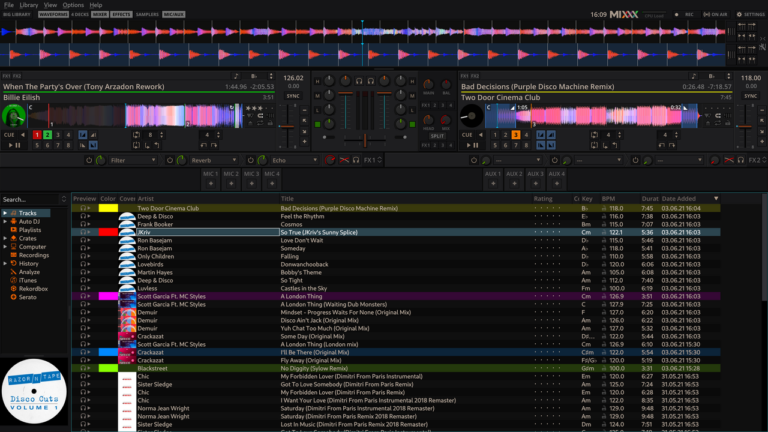
- Turn the channel GAIN until the meter averages around 0. The guide wants the loudest peaks around +6. That is the target it gives for channel meters.
- Do it again for every track you load. Source levels differ from file to file, which is the job the GAIN knob is there for.
- Check the master meter. Aim for the same average around 0 and peaks near +6. If the PK! lights stay on, the guide sends you back to the channel meters to look for clipping from GAIN or EQ.

What is the most common DJ gain staging mistake?
Chasing a quiet track with the faders. Pushing the channel fader or the master up makes the meter jump, but it does not fix the level the track came in at. Set the gain once, then use the faders to mix.
Gain first, faders second. A track that arrives at the right level is easier to blend, and easier to listen to.
Next on Trip: how to mix on the phrase, and how to prepare your USB stick. These are Trip’s tips, not official instructions.
share
more from the blog